Your meeting content deserves clear controls.

CoHear is designed to make recording notice, data processing, sharing choices, and deletion options understandable before and after you capture a conversation.

Download on theApp Store
QR code to download CoHear from the App StoreScan with your
iPhone camera
Explore the product
Recording noticeRecording on
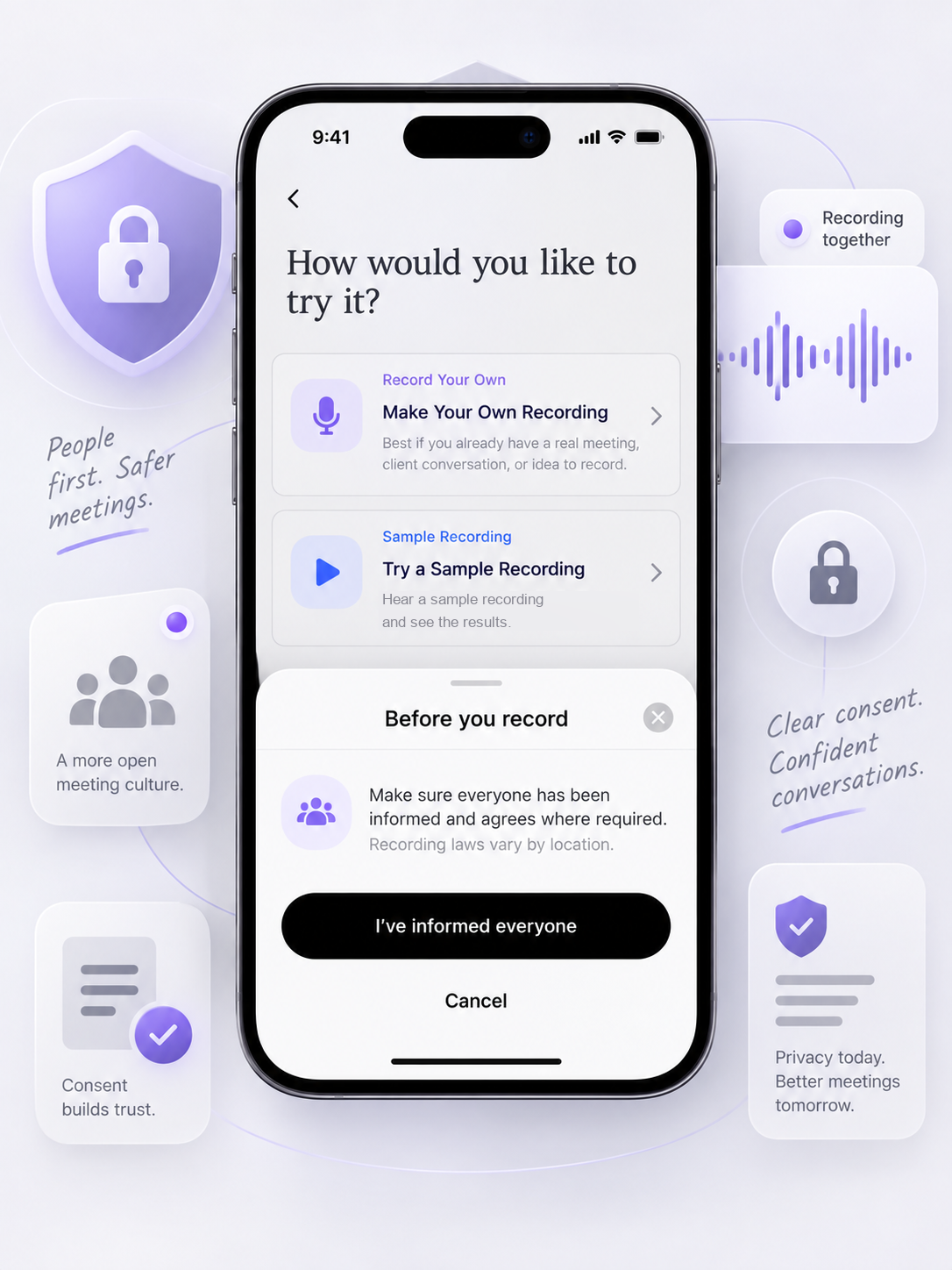
CoHear recording consent screen
Everyone can see when recording is active.Recording status stays visible before and during capture.
Meeting result

Private by default.

Audio, transcript, summary, and generated results start with you.

Only youChoose what to shareDelete when ready
Privacy in five short stories

Privacy should be understandable before you record.

Recording notice, AI processing, sharing, deletion and service providers, each in three frames. Read the Privacy Policy

01 · Recording notice

Make sure people know when recording is on.

Before recording, make sure you have informed everyone and obtained any consent required by local law. Recording status stays visible the whole time.

02 · AI processing

Use AI features with a clear processing choice.

CoHear processes recordings, imported materials, transcripts and generation requests to provide transcription, analysis and content generation. You manage AI data-processing authorization in the app.

03 · Private by default

Choose what to keep private and what to share.

Recordings and transcripts are tied to your account and visible only to you unless you share them. Share the audio, transcript, summary or deliverable, with a password and an expiration date.

04 · Delete

Delete what you no longer want to keep.

You can request deletion of your account and associated recordings, transcripts, summaries and generated deliverables, subject to applicable legal exceptions and technical deletion schedules.

05 · Service providers

Understand the services involved in processing.

CoHear uses service providers for speech recognition, AI processing, storage, authentication, analytics, attribution and notifications. The Privacy Policy lists current providers and purposes.

Straight answers

Questions worth answering up front.

Are recordings private by default?

Yes. New recordings, transcripts, summaries and generated results start private to your account unless you choose to share them.

Does CoHear use my content to train models?

Model training is off unless you give separate, explicit authorization.

What should I consider before recording someone?

Tell everyone and get any consent required by the law that applies to your situation.

Who can open a shared link?

Only people you send it to. Add a password and an expiration date for extra control.

Can I delete my data?

Yes. You can delete recordings and request deletion of your account and associated content.

Can I export my results?

Yes. Download summaries, slides and infographics as DOCX, PPTX, PDF or PNG.